
Visual DevTools for real phones
- Physical iPhone and Android
- Windows and Apple silicon macOS
- USB data cable
Debug a real iPhone without a Mac.
Inspect the Safari page on the iPhone beside you from Windows. The live phone, selected element, and browser evidence share one workbench. Share that same page with the teammate who can fix it, even when they work on another network.
- Windows 10+ or Apple silicon with macOS 13+.
- The inspector is free, with no account and no session timer.
- Team Devices is free on one network; a license adds internet rooms, page actions, and agent access.
Watch the setup guide · Watch the full walkthrough
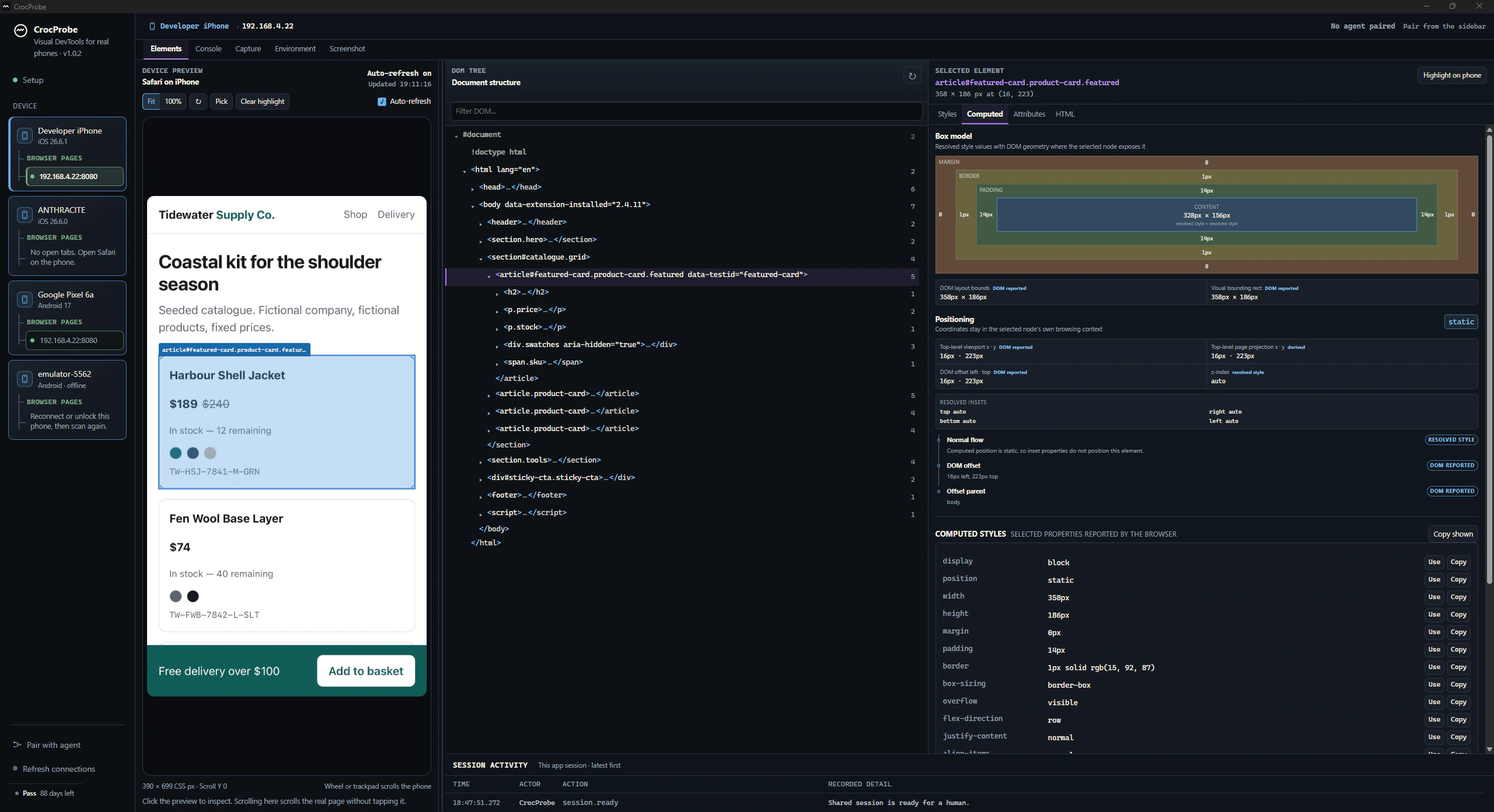
- 01 Physical phone What you see on the device.
- 02 Selected element DOM, styles, and computed values.
- 03 Browser evidence Console, network, environment, and screenshots.
Team Devices
Share your real phone with the teammate who can fix the page.
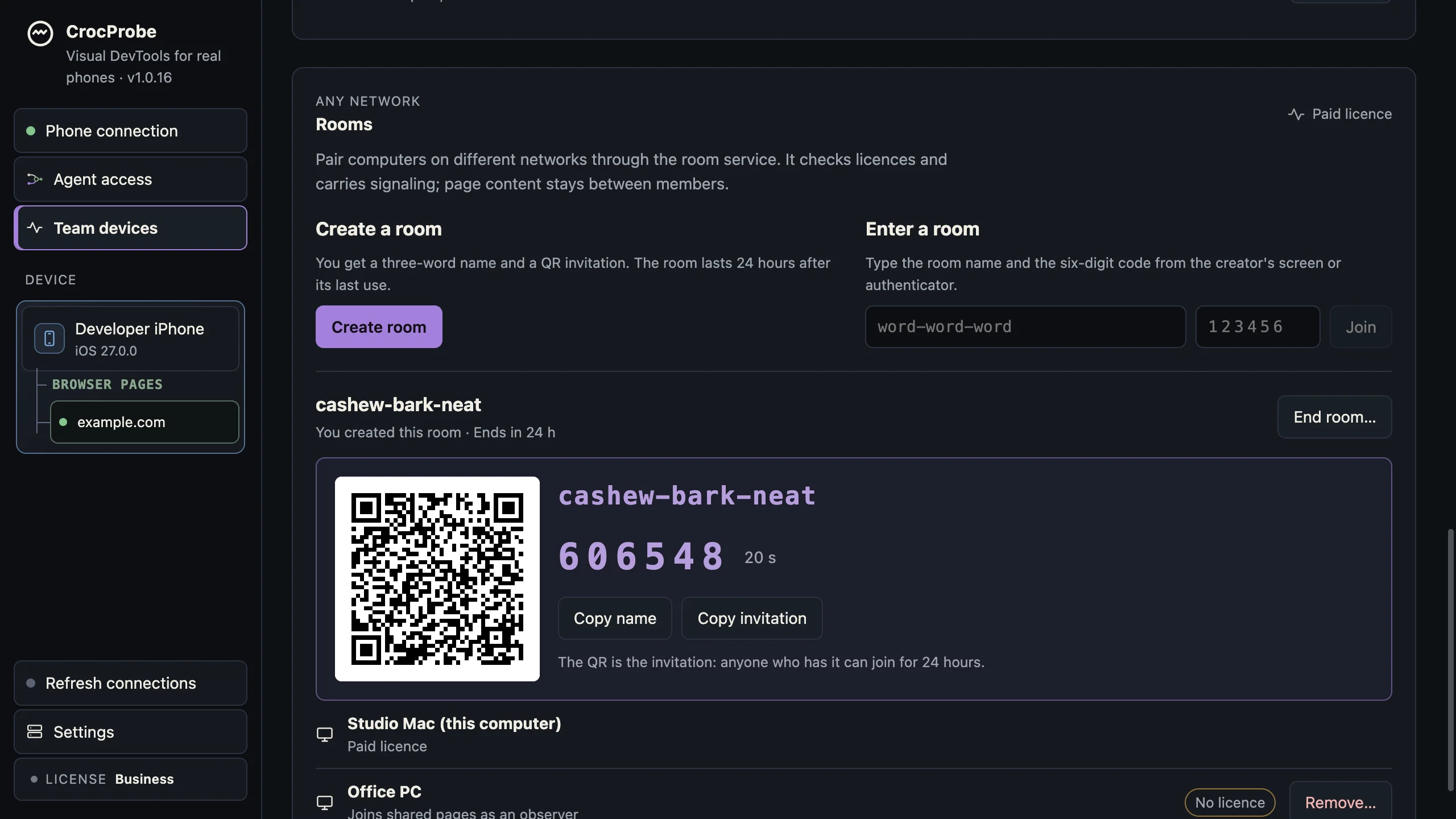
They open the live page in CrocProbe on their own computer. Both of you can see the preview, selected element, and browser evidence. You choose whether they observe, navigate, or test a change.
One phone, two computers, 33 seconds: the page is shared from the desk it sits on, a teammate joins, and a style change they make lands on the phone.
Share the phone and they get it in their own CrocProbe: the live preview, the element, the evidence, with the access you choose.
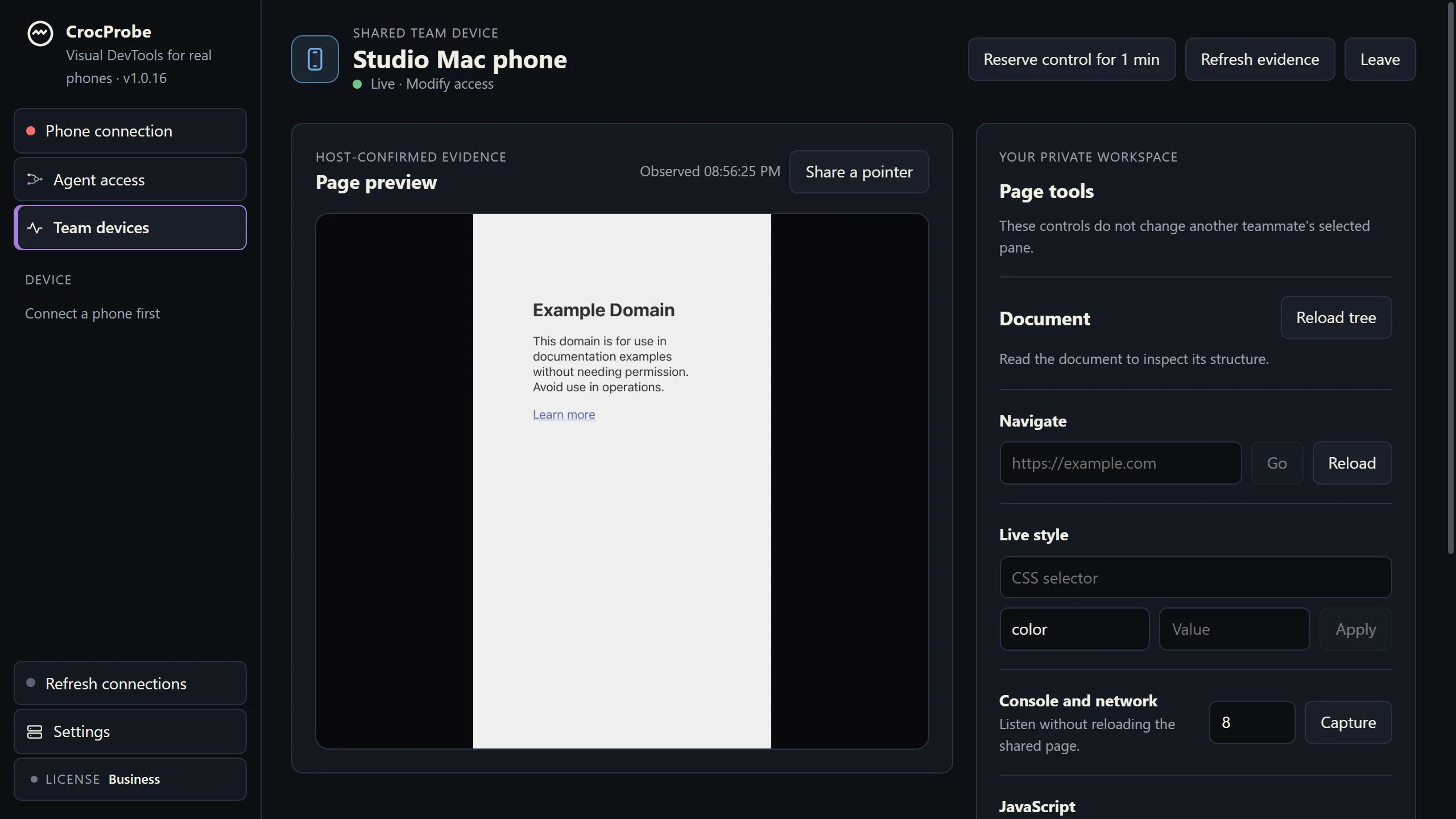
One code, typed once, and your teammate is in. No account, no service, no license on either side, and nothing leaves the network.
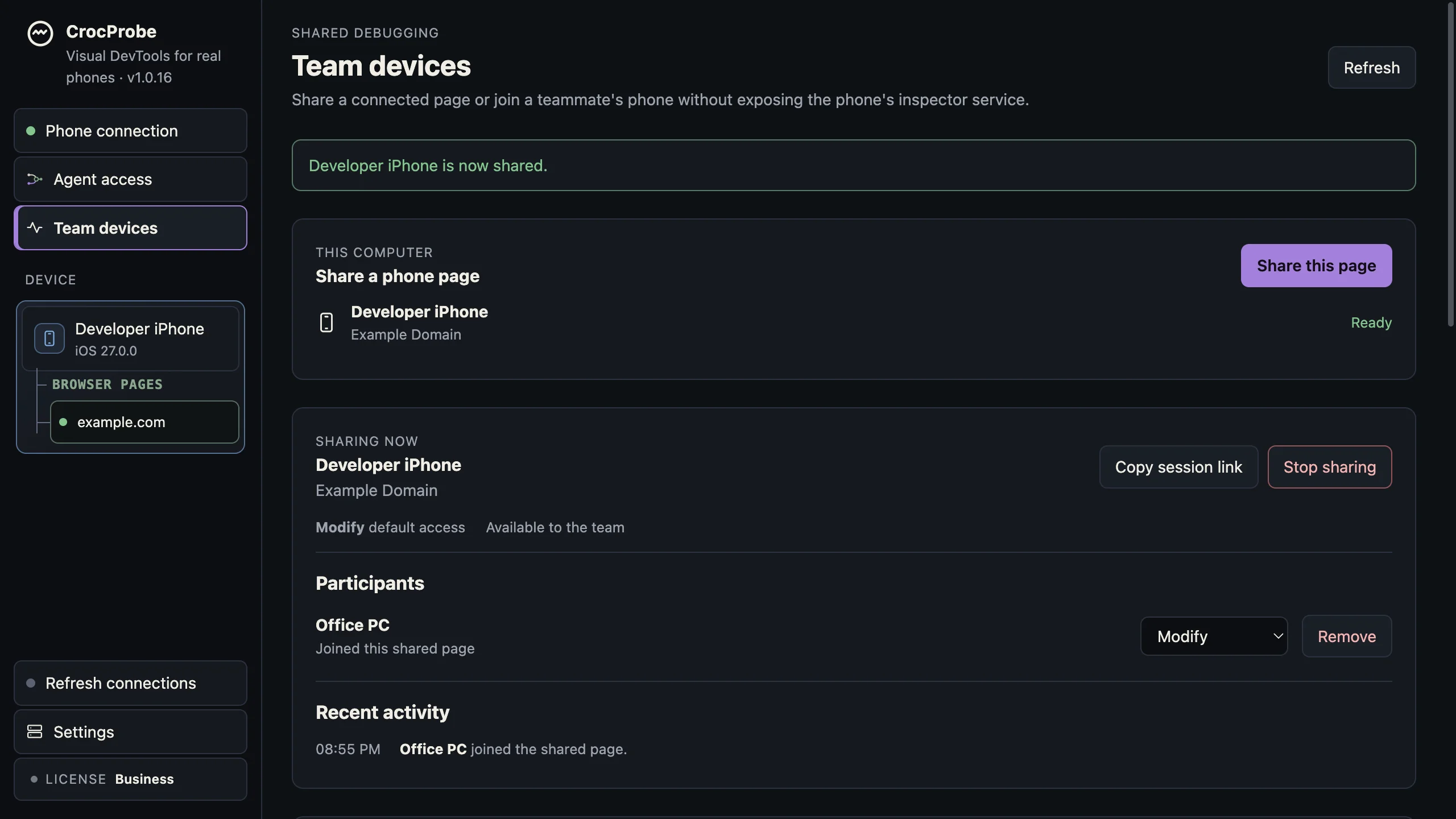
Open a room: a three-word name and a code that rotates every 30 seconds, or a QR for an authenticator app. Anyone with the name and the current code is in, licensed or not. Opening one takes a license; joining never does.
See how Team Devices works · Download free · What a license adds
The free inspector
Scroll the preview. Inspect the real page.
Scroll the live preview to move through the page on your phone. Select a card to see its browser details. Live preview and inspection are included free.
The full workbench
Before you download
Is CrocProbe for you?
- On Windows and need to see a real iPhone's page? Yes, and the inspector is free. Every way to do it without a Mac, compared.
- On a Mac and want Claude Code or Codex to see the real phone? Yes. That is what a license adds.
- Only need Android from Windows? Chrome DevTools does that free. CrocProbe adds the setup check, the one-window workbench, and the agent.
- Need a colleague to see the page on your phone? Yes. Share it over your network for free, or across the internet with a room.
- Need many devices you do not own? That is a device cloud, not this.
Who makes CrocProbe
Made by Steeltype.
CrocProbe is made by Steeltype, a small software company that has spent over a decade building and running platforms for clients in regulated industries.
We built CrocProbe the way those clients expect software to behave. It runs on your computer and needs no account. Nothing you inspect is sent to us. When you share a page with a teammate, it goes to them, encrypted, and our service never sees it. Your license installs and works offline. Reporting is off until you turn it on, and the update check asks first. The privacy policy spells all of this out.
Start here
Use the inspector for free.
Device setup, DOM, computed styles, console, network, and screenshots require no account or payment. Android works the same way: Chrome and Vanadium pages over an installed ADB.
Licenses from $29 add page actions, agent access, and rooms.