Same network · Free
Pair directly with a code.
Share a phone with a teammate on your local network. They enter a one-time pairing code in CrocProbe. Neither of you needs an account or license, and the page stays on your network.
 CrocProbe
Team Devices
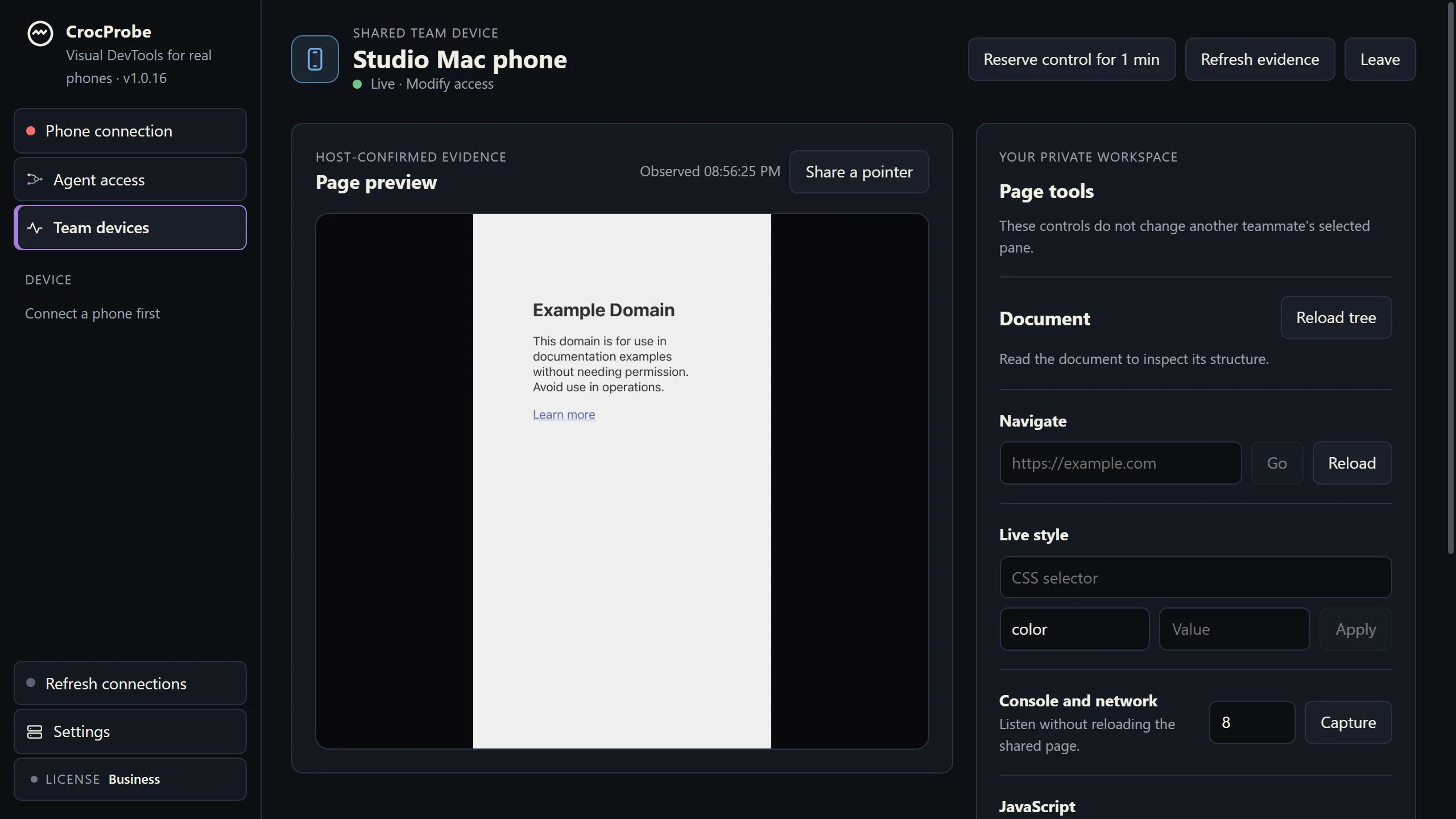
Your real iPhone or Android stays plugged into your computer. A teammate opens that live page in CrocProbe on their own computer, with the preview, selected element, and browser evidence. You choose the access they get.
Both computers need CrocProbe. Sharing on the same network is free, with no account or license on either side.
See the handoff
A teammate joins a shared iPhone, opens the page structure, and changes a heading color. The change appears on the phone.
How it works
Plug your iPhone or Android into your Windows or Apple silicon Mac with a USB data cable, then select its browser page in CrocProbe.
Open Team Devices and choose Observe, Interact, or Modify for the teammate. CrocProbe shows you who has joined and what they may do.
On one network, they use a one-time pairing code. Across networks, they use the room name and current code.
They see the live preview, element, console, and network evidence. With the access you grant, they can navigate or try a live change.
Choose the connection
Same network · Free
Share a phone with a teammate on your local network. They enter a one-time pairing code in CrocProbe. Neither of you needs an account or license, and the page stays on your network.
Different networks · Licensed room
A licensed copy creates a room with a three-word name and a rotating six-digit code. Your teammate can join without a license and observe. A license lets them act on the shared page, within the access you grant. Any license, including the $29 Pass, opens rooms.
In an internet room, page content is encrypted between the computers. Steeltype's room service connects them without seeing that content. Rooms end 24 hours after their last use.
Start with the phone on your desk
Download CrocProbe on both computers and try sharing on your local network for free. Add a license when you need an internet room.